Welcome
Thank you for purchasing the WiseTrader Toolbox!
You will need to activate your copy of WiseTrader Toolbox before you can use it. Activating is simple!
Activating your copy
When you first open AmiBroker, you should be greeted with the WiseTrader Toolbox
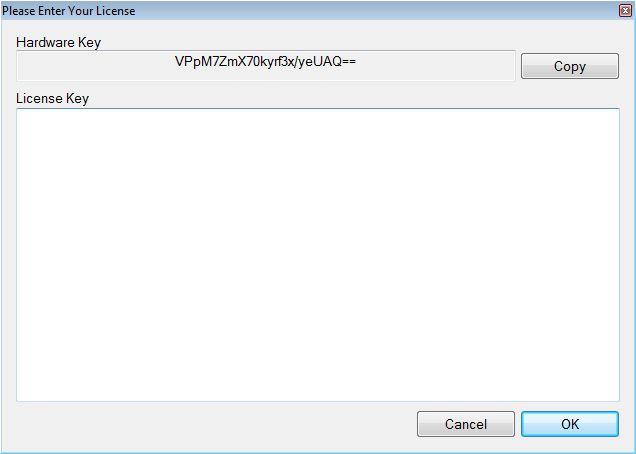
splash screen and then a registration box (see below) will appear. Select the
hardware key shown in the box and copy it by pressing Ctrl + C, or
press the Copy button (highly recommended to avoid mistakes).
The key must be copied and pasted exactly, otherwise your generated license key
will not work and you may lose that activation.
Always copy the hardware key with the Copy button rather than typing it by hand. A single mistyped character will produce an invalid license key and may cost you an activation.
Requesting a license key
Then go to www.WiseTraderToolbox.com and request a license key (via the Generate My License link) for your computer by pasting your hardware key into the appropriate box. The license key is generated automatically within a few moments, so please be patient. This key lets you run the WiseTrader Toolbox indefinitely on this computer, with one year of free updates from the date of purchase.
Entering your license key
When you receive your license key, copy and paste it into the License Key box and press OK. If everything goes well you will be greeted with a confirmation of successful activation. If not, make sure you copied the key correctly. If it still does not work, contact support with your hardware key and we will resolve the issue as quickly as possible.