Walk-Forward Networks
A Walk-Forward network is the adaptive alternative to a Standard one. Rather than training once and saving the result, it re-trains on a rolling window of recent bars as it walks forward through the data — so the model continually adapts to the most recent market behaviour. It is more adaptive but slower, works on a single symbol, and saves no network file.
You choose this mode at startup (or via File → New). In Walk-Forward mode several Standard-only controls are gated off, and one Walk-Forward-only control is enabled.
Standard vs. Walk-Forward: which to choose
The two modes answer the same question in opposite ways. A Standard network learns the market once and assumes that lesson keeps holding; a Walk-Forward network assumes the market drifts and keeps relearning from the most recent bars. Neither is strictly better — it's a trade-off:
| Standard | Walk-Forward | |
|---|---|---|
| Training | Once, then reuse the saved .net | Continuously, on a rolling window |
| Adapts to new regimes | No (until you retrain) | Yes, automatically |
| Symbols | A whole pool | One symbol only |
| Speed | Fast to plot (pre-trained) | Heavier — trains as it runs |
| Models | MLP + recurrent LSTM/GRU | Feed-Forward MLP only |
| Best for | Most users; iterating and comparing | A single instrument in a shifting market |
If you're undecided, build a Standard network first — it's faster to iterate on and unlocks every feature. Reach for Walk-Forward when you're focused on one instrument and want the model to keep adapting on its own.
Gated controls in the main window
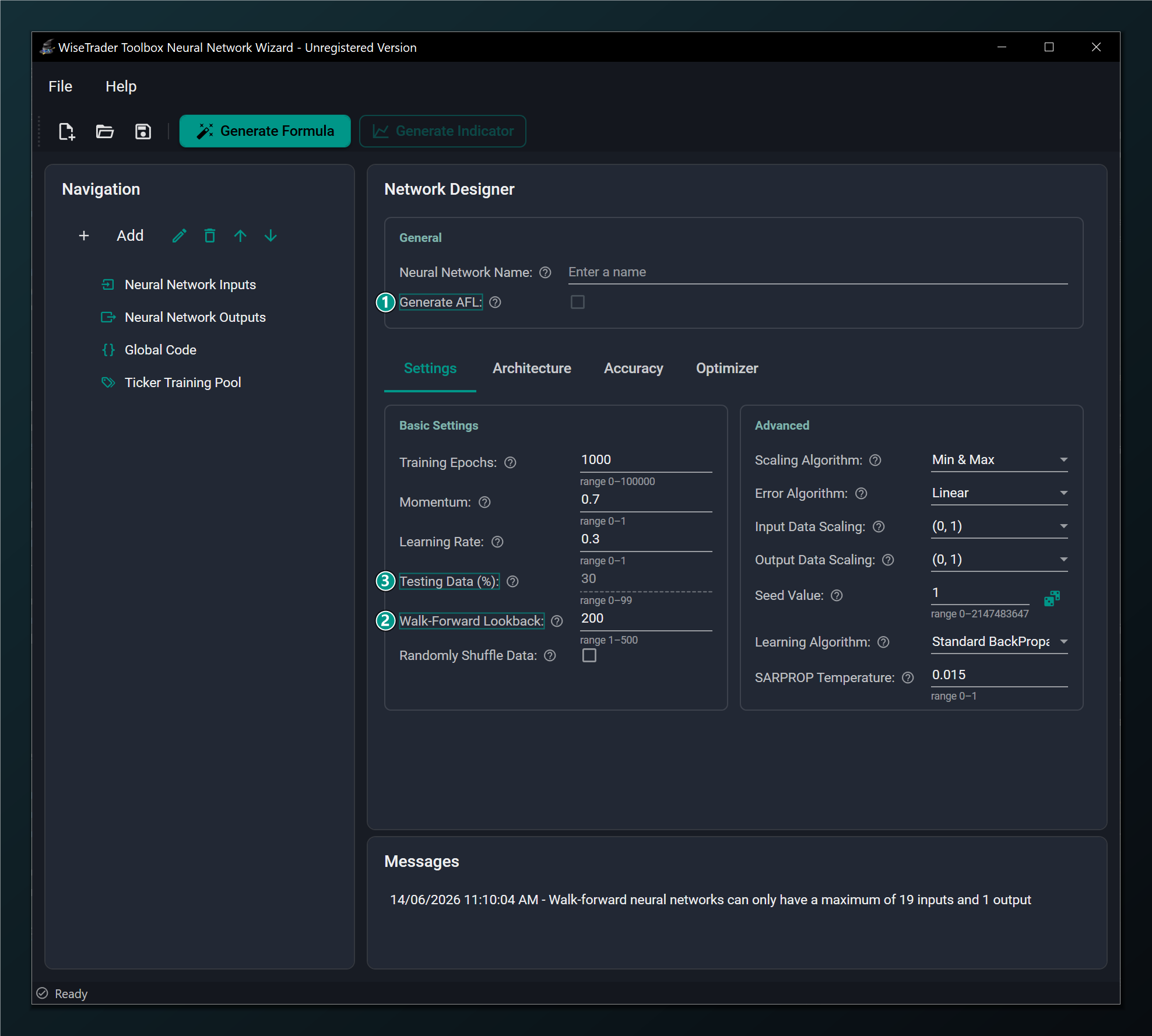
- Generate AFL — disabled for Walk-Forward (network-to-AFL export is Standard + MLP only).
- Walk-Forward Lookback — ENABLED for Walk-Forward: recent bars the network re-trains on at each step. Default 200.
- Testing Data (%) — disabled for Walk-Forward (the rolling re-train has no fixed held-out split).
Walk-Forward mode is Feed-Forward (MLP) only and single-symbol. The recurrent LSTM/GRU models, the ticker training pool, the fixed test split and the network-to-AFL export all belong to Standard networks and are unavailable here.
The Walk-Forward Lookback is the heart of this mode: it sets how many recent bars the network re-trains on at each step. A shorter lookback adapts faster to regime changes but sees less data; a longer one is steadier but slower to react.
The generated formula (Walk-Forward)
Because a Walk-Forward network trains and trades in one continuous pass, the Wizard produces a single AFL formula rather than separate training and indicator formulas.
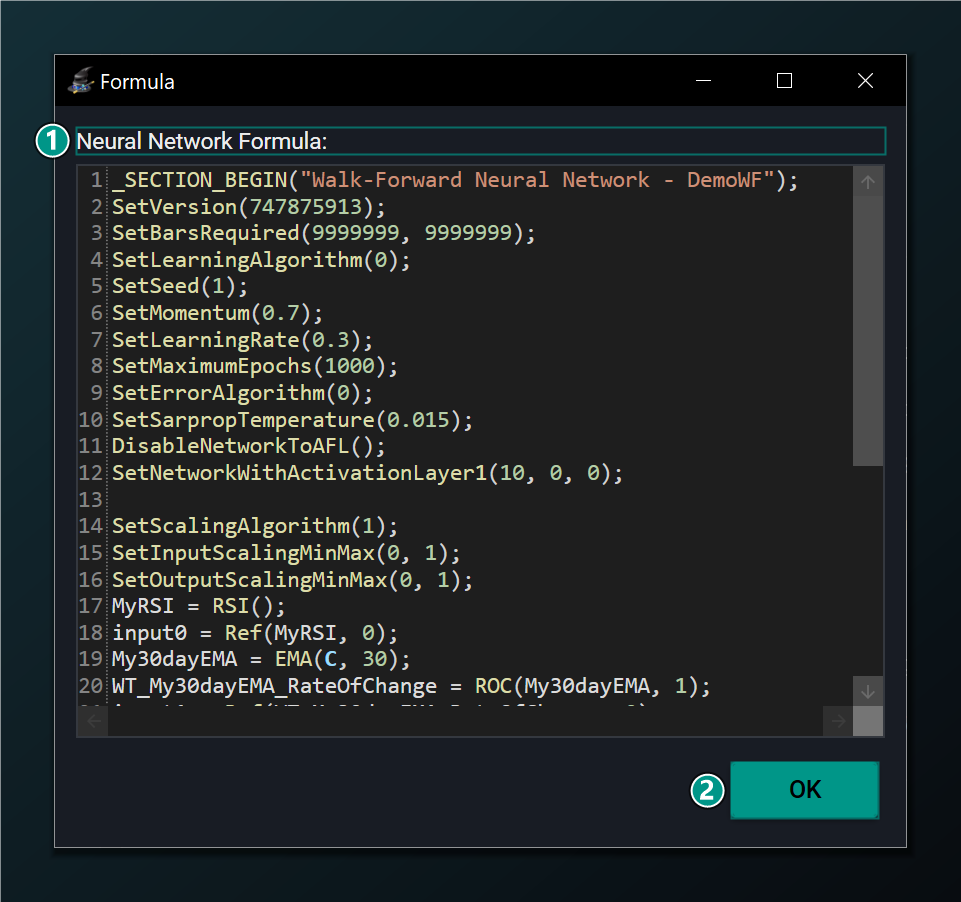
- Neural Network Formula — the single Walk-Forward AFL that re-trains on a rolling window and trades in one pass.
- OK — close the window; copy the formula into an AmiBroker chart.
A Walk-Forward formula does its training every time it runs, on the chart it is applied to. That makes it noticeably heavier to compute than a pre-trained Standard indicator — expect slower chart refreshes, especially with a large lookback or many bars.