Optimizer Tab
An optimizer is the engine that does the learning — the procedure that decides how to nudge every weight after each look at the data so the network's error keeps shrinking. The Learning Algorithm you chose on the Settings tab is the optimizer; this tab simply exposes its tuning knobs. It is context-sensitive: the classic algorithms need nothing extra here, while the Adam-family optimizers reveal their own fields.
Which optimizer should I use?
You don't need to master the maths — just know roughly what each family is good for:
- Standard BackPropagation — the original, dependable method. It follows the learning rate and momentum you set by hand. A fine, predictable baseline.
- RPROP / iRPROP / SARPROP — smarter variants that adapt the step size for each weight on their own, so you don't have to tune the learning rate. They often train faster and more reliably on MLPs — a great second thing to try.
- Adam / AdamW (and the Adam family) — the modern workhorses. They keep a separate, self-adjusting learning rate for every weight, which makes training robust with little tuning. AdamW adds built-in weight decay (regularization). Required for the sequence models (LSTM, GRU, TCN and Transformer).
Standard BackPropagation
With Standard BackPropagation selected, there are no extra hyperparameters to set — only the learning-rate schedule remains available.
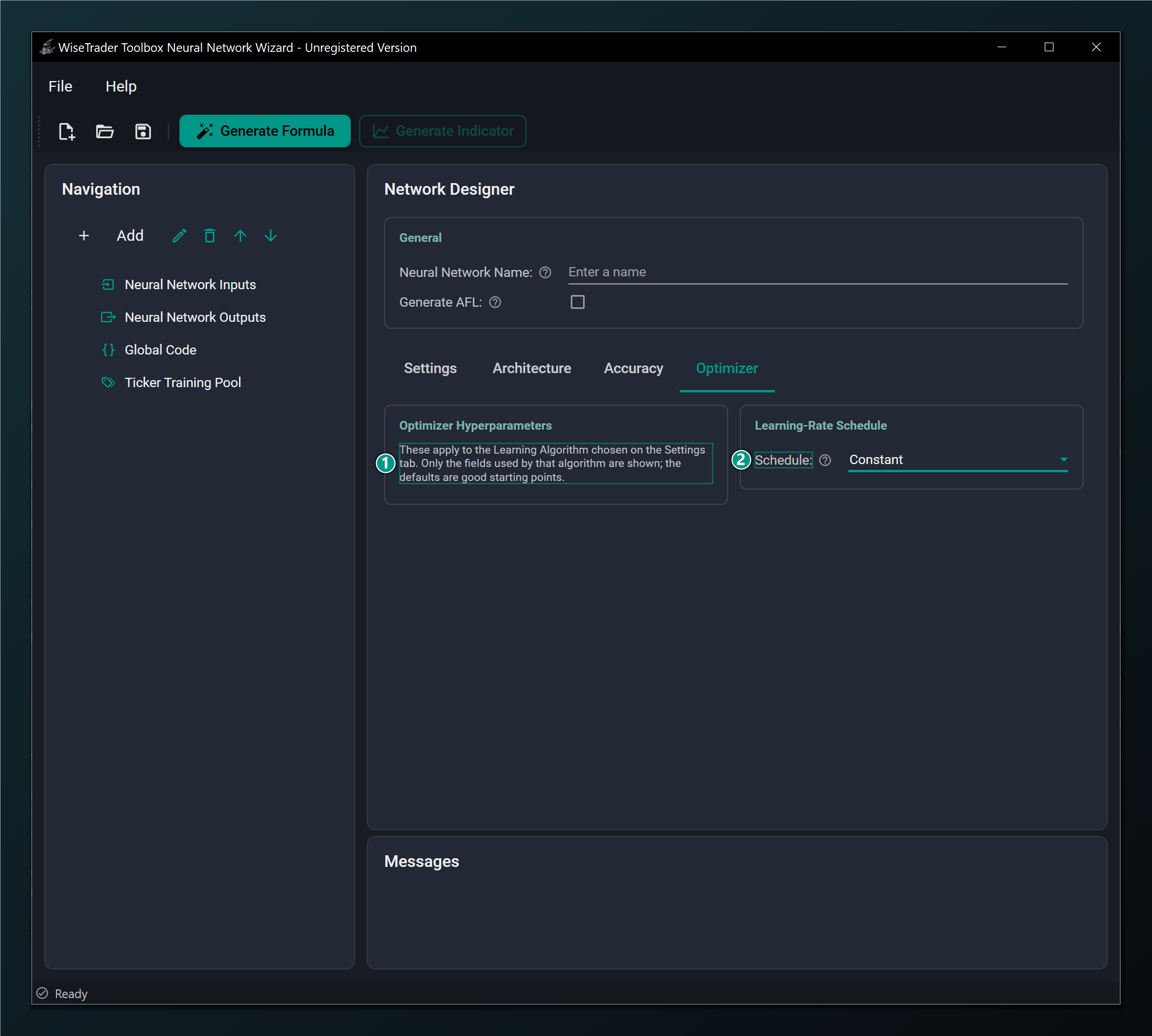
- No extra parameters — these hyperparameters apply to the Learning Algorithm chosen on the Settings tab. Standard BackPropagation needs none; pick an Adam-family optimizer to reveal its fields.
- Learning-Rate Schedule — optionally shrink the learning rate over the run (Step, Cosine, SGDR). Available for every model type; Constant by default.
AdamW (and the Adam family)
Choosing AdamW — or any Adam-family optimizer — reveals the momentum and stability hyperparameters that control how the optimizer adapts each weight's learning rate.
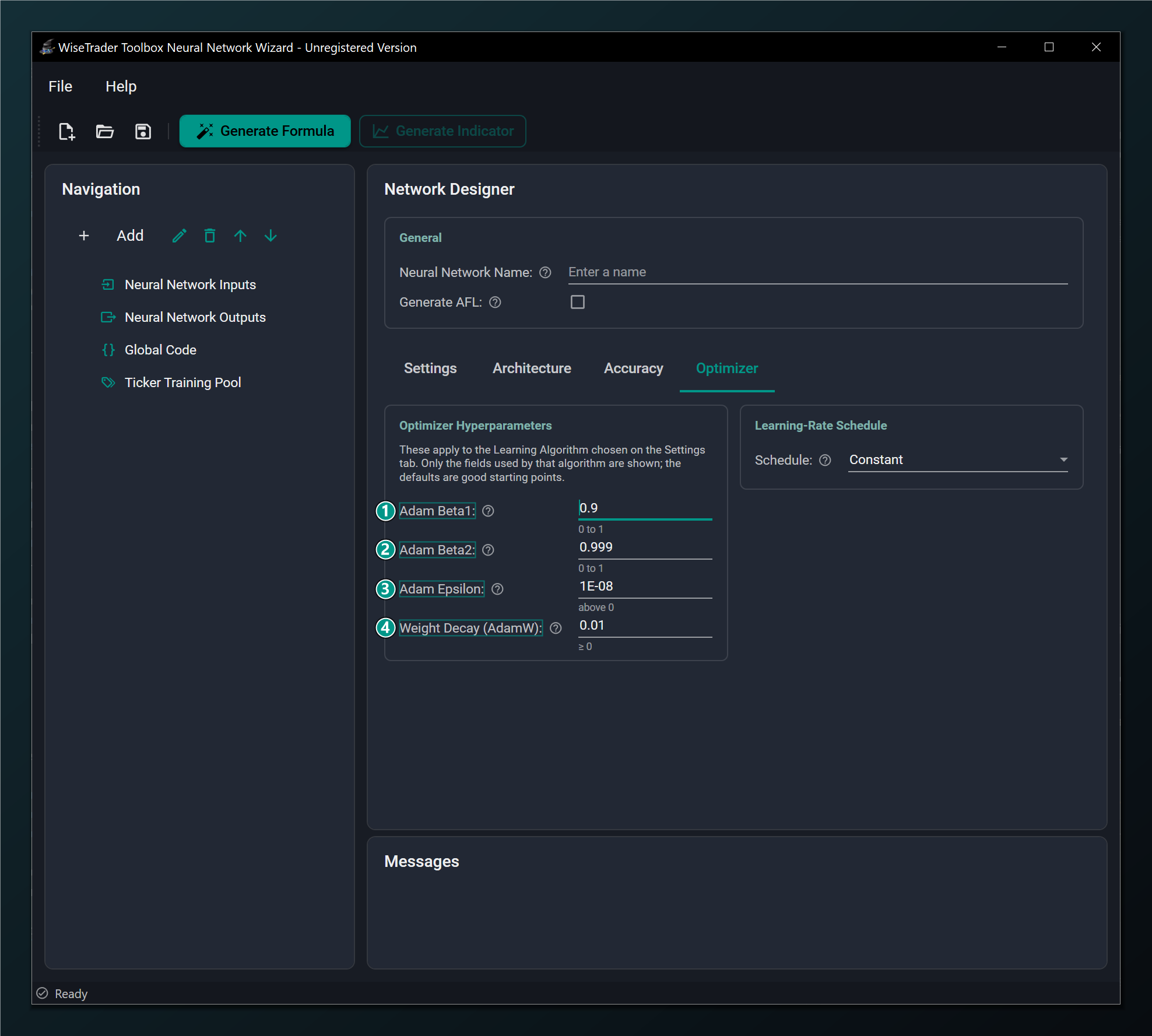
- Adam Beta1 — decay rate for the running gradient average (momentum). Default 0.9.
- Adam Beta2 — decay rate for the running squared-gradient average. Default 0.999.
- Adam Epsilon — tiny constant added for numerical stability. Default 1e-8.
- Weight Decay (AdamW) — decoupled L2 regularization strength, unique to AdamW. Default 0.01.
What Beta1, Beta2 and Epsilon do
Adam keeps two running averages as it trains and uses them to give each weight its own sensible step size. Beta1 (default 0.9) controls the memory of the direction of recent updates — this is Adam's momentum. Beta2 (default 0.999) controls the memory of how big recent updates have been, which is what lets Adam shrink the step for noisy weights and grow it for quiet ones. Epsilon (default 1e-8) is a tiny number added underneath to avoid dividing by zero — pure safety.
These three are the standard, battle-tested Adam values. Leave them at their defaults unless you have a specific reason not to — they are not the knobs that improve trading results.
Weight Decay: AdamW's regularization dial
Weight Decay is the one Adam-family setting genuinely worth tuning. It gently pulls every weight toward zero on each step, discouraging the network from relying on a few large weights — which is another way of discouraging overfitting. Higher means stronger regularization (a simpler, more cautious network); lower means more freedom to fit. Default 0.01. If the network overfits, raise it; if it can't fit the data at all, lower it.
The defaults (Beta1 0.9, Beta2 0.999, Epsilon 1e-8) are the standard, well-tested Adam values — leave them alone unless you have a specific reason to change them. Weight Decay is the knob worth experimenting with to dial regularization up or down.
Learning-rate schedules (SGDR)
A learning-rate schedule shrinks the learning rate as training goes on. The idea is intuitive: take big strides early to cover ground quickly, then smaller and smaller ones as you near the bottom so you settle precisely instead of bouncing around the target. Decaying the rate late in training often buys a cleaner, lower final error. Schedules apply to every model type; the default is Constant (no decay). The options:
- Step — drop the rate by a fixed factor every so many epochs (staircase fashion).
- Cosine — ease the rate down along a smooth curve to its floor.
- SGDR — cosine decay with warm restarts: the rate eases down, then jumps back up to start a fresh cycle. Those periodic kicks help the network escape a mediocre solution and explore for a better one.
Picking SGDR reveals the schedule's own parameters.
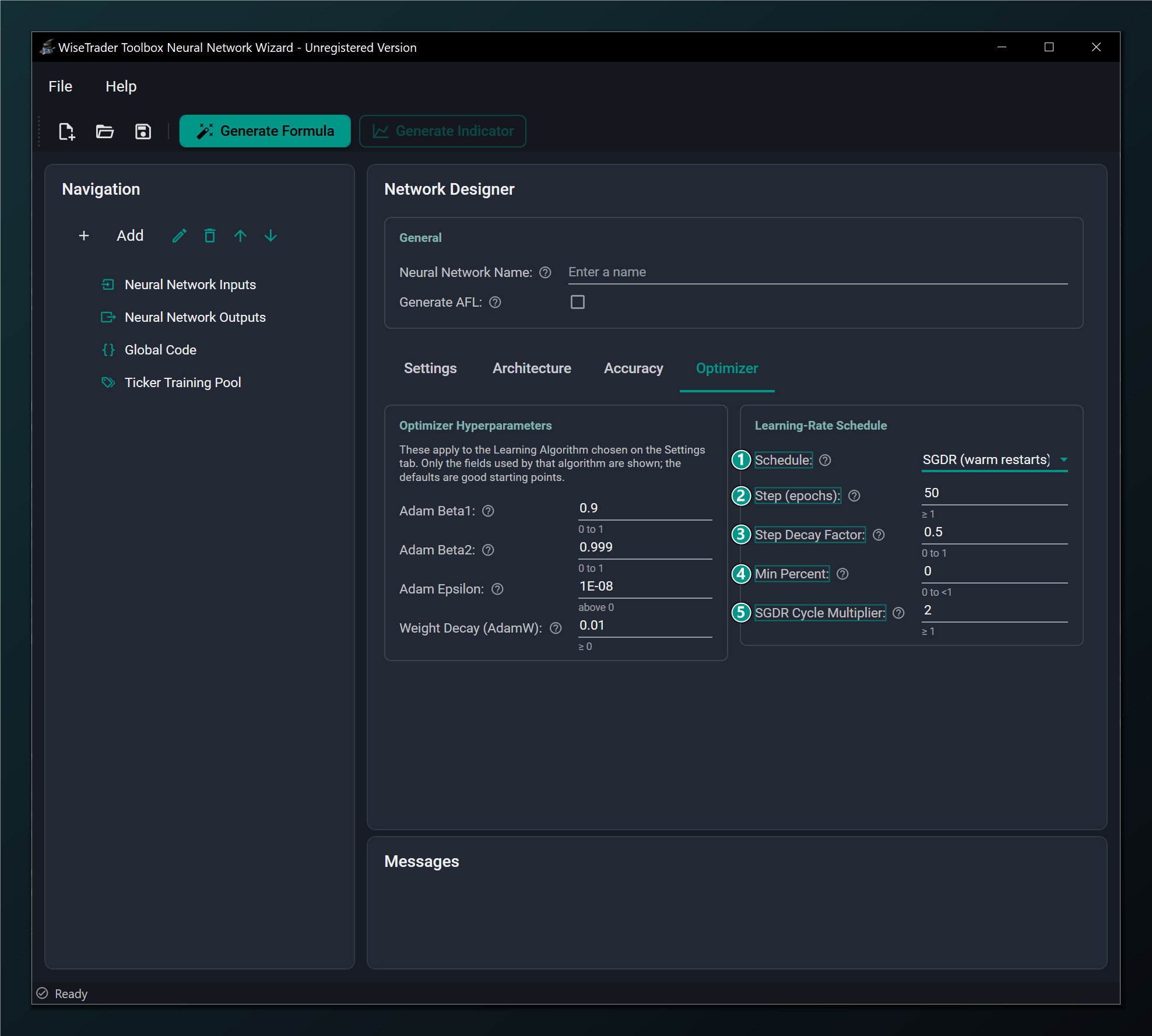
- Schedule set to SGDR (warm restarts) — cosine decay of the learning rate with periodic restarts.
- Step (epochs) — epochs between learning-rate drops, and the cycle length for SGDR. Default 50.
- Step Decay Factor — multiply the learning rate by this at each drop (0.5 halves it). Default 0.5.
- Min Percent — floor for the schedule as a fraction of the base rate, so it never decays to nothing. Default 0.
- SGDR Cycle Multiplier — how much longer each restart cycle is than the previous one (2 doubles it). Default 2.0.
Reading the schedule parameters
Step (epochs) is the rhythm: how many epochs between drops, or the length of the first SGDR cycle (default 50). Step Decay Factor is how hard each drop bites — 0.5 halves the rate each time (default 0.5). Min Percent sets a floor so the rate never decays all the way to zero (default 0). SGDR Cycle Multiplier stretches each successive restart cycle — 2.0 makes every cycle twice as long as the last (default 2.0). The defaults are a reasonable schedule out of the box; treat these as fine-tuning, not first moves.
Learning-rate schedules apply to every model type — MLP and the sequence models (LSTM, GRU, TCN and Transformer) alike. The same is true of Batch Size.