Building a Network
Configuring the tabs sets how the network learns; building the network defines what it learns from and predicts. You do that by populating the tree with inputs, outputs, optional code, and — for a Standard network — a pool of symbols to train across.
A populated network
Here is a small but complete example network, "DemoNet": two inputs, one output, a helper code snippet and a three-symbol training pool. With a name, two inputs and one output, the network is valid and Generate Formula turns on.
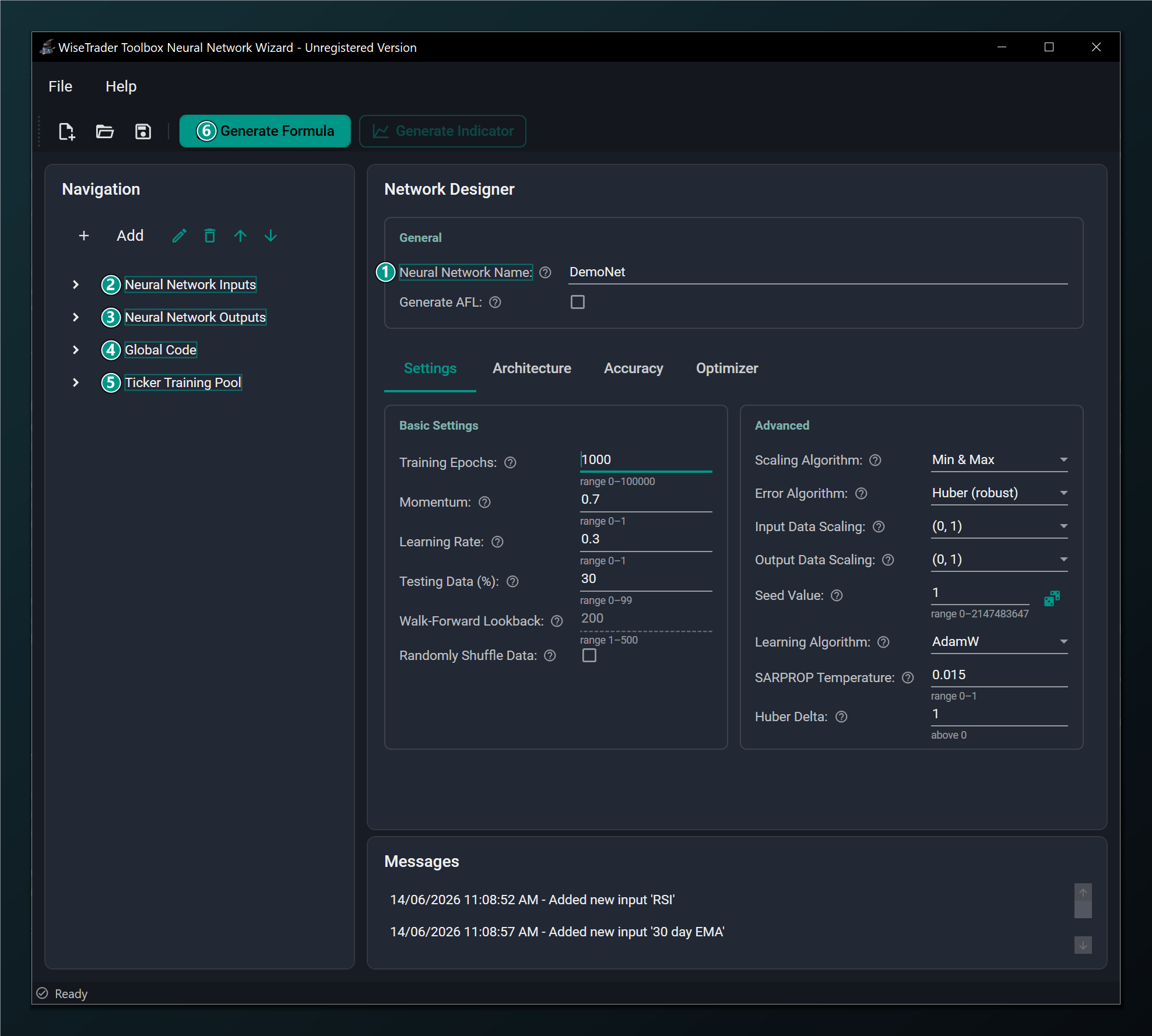
- Neural Network Name — set to DemoNet; names the AFL section and the saved
.netfile. - Inputs — the RSI and 30-day EMA inputs added via templates.
- Outputs — the prediction target the network learns.
- Global Code — the reusable AFL snippet (Helper).
- Ticker Training Pool — AAPL, MSFT, SPY to train across.
- Generate Formula — enabled once the network is valid (name + 2 inputs + 1 output).
The minimum for a valid network is a name, at least two inputs and at least one output. Code snippets and a ticker pool are optional.
What to add
Each part of the tree has its own page in this section:
- Inputs — the indicators or price series fed into the network, with lag and percent-change options.
- Outputs — the value to predict and how far ahead, with plotting options.
- Code snippets — custom AFL inserted into the generated formulas.
- Ticker training pool — the symbols a Standard network trains across.
Once the tree is populated, head to Generating the Formula.
Every item in the tree can be edited later — double-click it (or select it and use the edit action) to reopen its dialog. The Edit dialogs are nearly identical to the Add dialogs and are shown on each item's page.